Imposter Game Online: Play Free with Friends
Play Online
Create a Room
You'll host the game and get a link to send friends.
Join a Room
Have a room code or link from a friend? Join here.
Create a Room
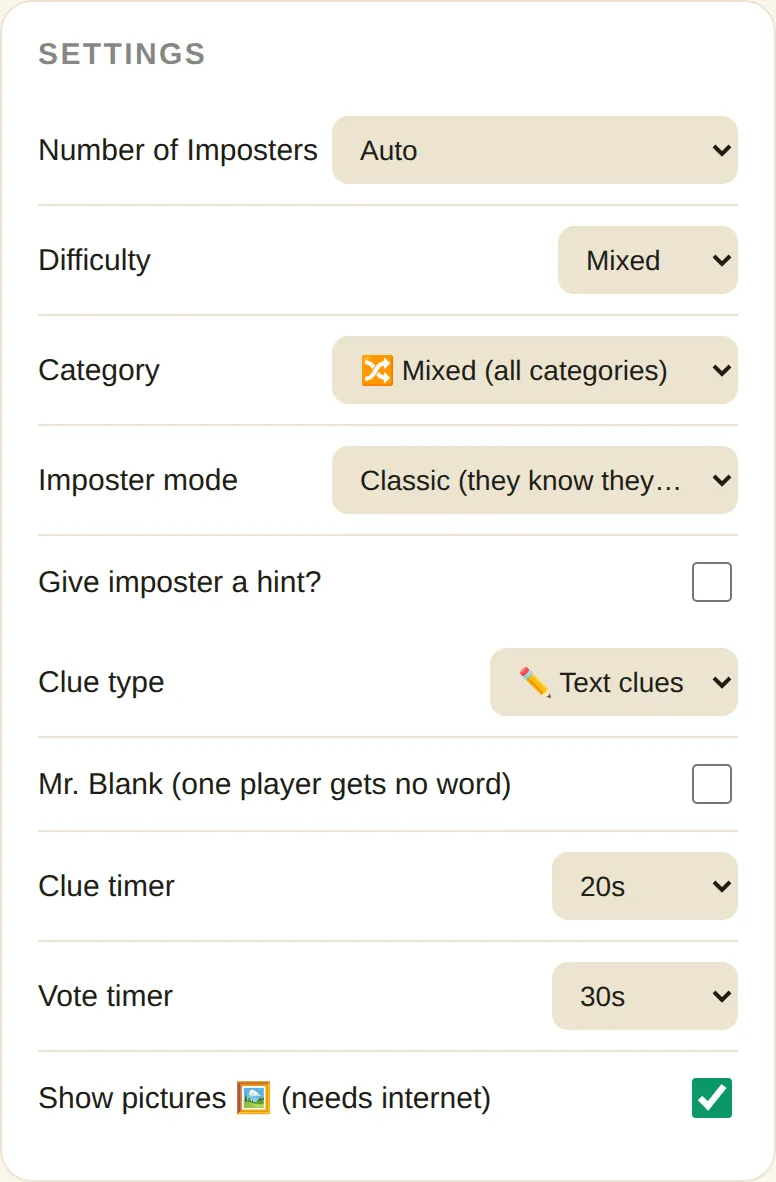
Settings
Join a Room
Room
Players (1)
YOU ARE A CIVILIAN
Clue turns start in 10s…
It's your turn
CAUGHT! 🎯
Play the imposter game online with friends, free. Create a room, share the 6-character code or link, and everyone joins from their own phone, tablet or computer. There is nothing to download and no account to make, so a game with friends starts in a few taps. Sharing one screen instead? Use the single-device imposter game generator.
How to play imposter game online
Create a room, send the invite, and start once at least three players are in the lobby. Each player then sees only their own role and word.
- Tap Create Room, enter your name and choose the settings.
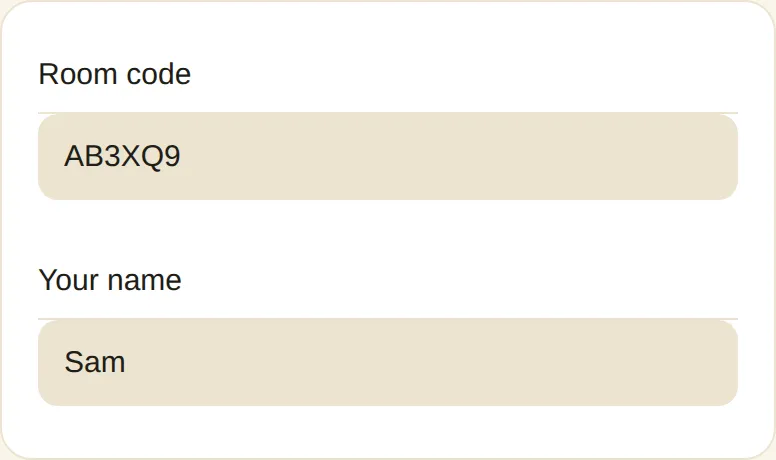
- Copy the invite link, or read out the room code.
- Friends open the link, or type the code under Join Room.
- When three or more players appear in the lobby, the host presses Start Game.
- Everyone gets 10 seconds to read their word. Then clue turns begin.
What is an online imposter game?
This format is a secret word party game played over the internet. Each player sees a private role on their own screen, so nobody has to pass a device around.
This imposter word game follows the classic rules: civilians share a secret word, the Imposter bluffs, and the group votes. For the full rules, see the main game page.
How does the imposter game work online?
The host’s browser acts as the game server. It picks the word and the Imposter, sends each player a private view, and collects every vote, so nobody can peek at anyone else’s role.
What do you need to play imposter online?
- At least three players, with one device each.
- A modern browser such as Chrome, Firefox, Edge or Safari.
- The invite link or the 6-character room code.
- Ideally a voice or video call, because the in-game chat closes during rounds.
Is the imposter game online free?
Yes, it is completely free. There are no signups, apps or downloads, and everything runs in the browser.
Imposter game multiplayer features
- Room code and link. Join by tapping a link or typing a six-character code.
- Private role cards. Every player sees their own word, picture or role, with a shared 10-second reading pause.
- Same game options. Categories, custom words, difficulty, hints, Sneaky mode, Mr. Blank, drawing clues and timers all work online.
- Timed turns. Optional clue and vote timers keep the pace up, and a late vote is filled in at random.
- Live scoreboard. Points appear at the end, and the host can start another game while keeping the scores.
What does the host control?
The host chooses the settings and starts each game. After the clues, the host decides whether to start voting, give another clue round or reveal the Imposter, and on the result screen starts the next game. Everyone else casts their own vote privately.
How do points work online?
Scoring is the same as on one device: points are added up over every round and shown to everyone when the game ends. The full table is on the main page. Guests see the scoreboard on their own screen, and the host can keep the totals for the next game.
Can you chat while you play?
Yes, but only in the lobby and on result screens. Chat is switched off during the word reveal, clues, discussion and voting, so nobody can leak the word in writing. For the discussion itself, use a voice call or sit in the same room.
How many players work best online?
Three players is the minimum, and five is where it starts to feel like a real party. A game for 3 people ends quickly after one wrong vote, while 5 people can bluff for several rounds. For bigger groups, add a second Imposter or a Mr. Blank to keep it tense.
Online or on one device?
| Feature | Online | One device |
|---|---|---|
| Devices needed | One per player | One in total |
| Voting | Each on their own screen | Secret ballot passed around |
| Chat | Lobby and results | Not needed |
| Best for | Friends in different places | One table, one room |
What happens if someone leaves?
Everyone sees a notice. The round continues if at least three players remain and an Imposter is still in the game. Otherwise the room returns to the lobby and shows the reason. If the host leaves, the room ends for everyone.
Fixing connection problems
- The tool retries a few times before it shows an error.
- Check that the room code has exactly six characters.
- VPNs, firewalls and ad blockers can block the connection, so try mobile data or another browser.
- The host must keep the tab open until the game ends.
Ideas for an imposter game with friends online
Build your own round with custom words, such as inside jokes or a recent trip. Turn on the hint for new players, add Mr. Blank for chaos, or choose drawing clues to keep everyone laughing. Sneaky mode, an Undercover-style twist, suits groups who already know the basics.
Online play questions
How many players do you need for imposter online?
The host needs at least 3 players to start. The tool doesn’t set a fixed maximum for rooms, but every guest connects to the host, so very large rooms depend on the host’s device and connection.
Can someone join after the game has started?
No. Players can only join from the lobby. Anyone who tries later sees a message that the game has already started.
What happens if the host closes the tab?
The room ends for everyone, because the host’s browser runs the game. Ask the host to keep the tab open until you finish.
Can I change the settings after creating a room?
Not at the moment. Settings are chosen on the Create Room screen, so create a new room to change them.
Is there an imposter game unblocked for school networks?
It runs in a normal browser tab. Some school or work networks, VPNs and ad blockers still block the connection, so try mobile data if a friend can’t join.
Do the word pictures work online?
Yes. If the host leaves Show pictures on, civilians see a photo of the word on their own role card.
Can I play imposter online without an account?
Yes. You only enter a display name. There are no logins, and names are shared only with the other players in your room.
Prefer a single screen?
Read the full rules on the main game page, or browse upcoming guides in the blog.